Testing a script
The new scripts can be tested in a protected, closed environment ('sandbox') using the following steps.
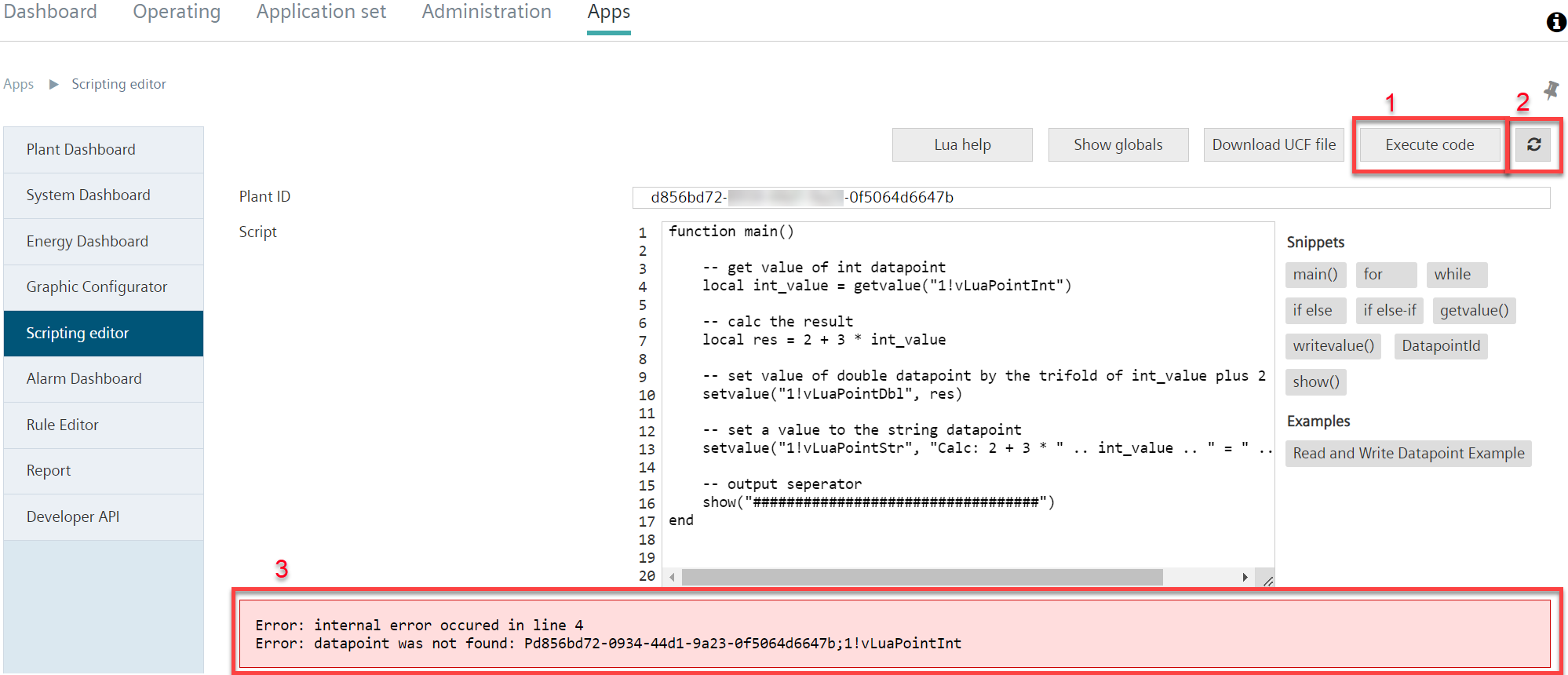
- A script is created per the Lua specifications in the editing field.
- Click 'Run code' (1).
- Alternative: 'Enable automatic refresh' (2).
- The entered script is tested.
- An error report displays on a script that does not work (3).
- The script can be revised and tested as often as needed until the desired result displays.
Limits
Type | Limit |
|---|---|
Max. read-write permissions (Cloud items↑ in total) | 5 |
Max. read-write permissions (per Cloud item) | 3 |
Maximum commands | 10,000 |
Maximum output lines | 100 |
Maximum run time per script | 15s |
Scripts are run every full minute.