Selecting a data point on the plant for display in Trend Viewer
The data points for display in Trend Viewer can be selected in the plant or in Trend Viewer. Proceed as follows when selecting data points for display in the plant:
- Rights are available for 'Trend Viewer'.
- Go to 'Operation > Plants > "My plant" > Data points'.
- Select the data points for display in the drop-down menus:
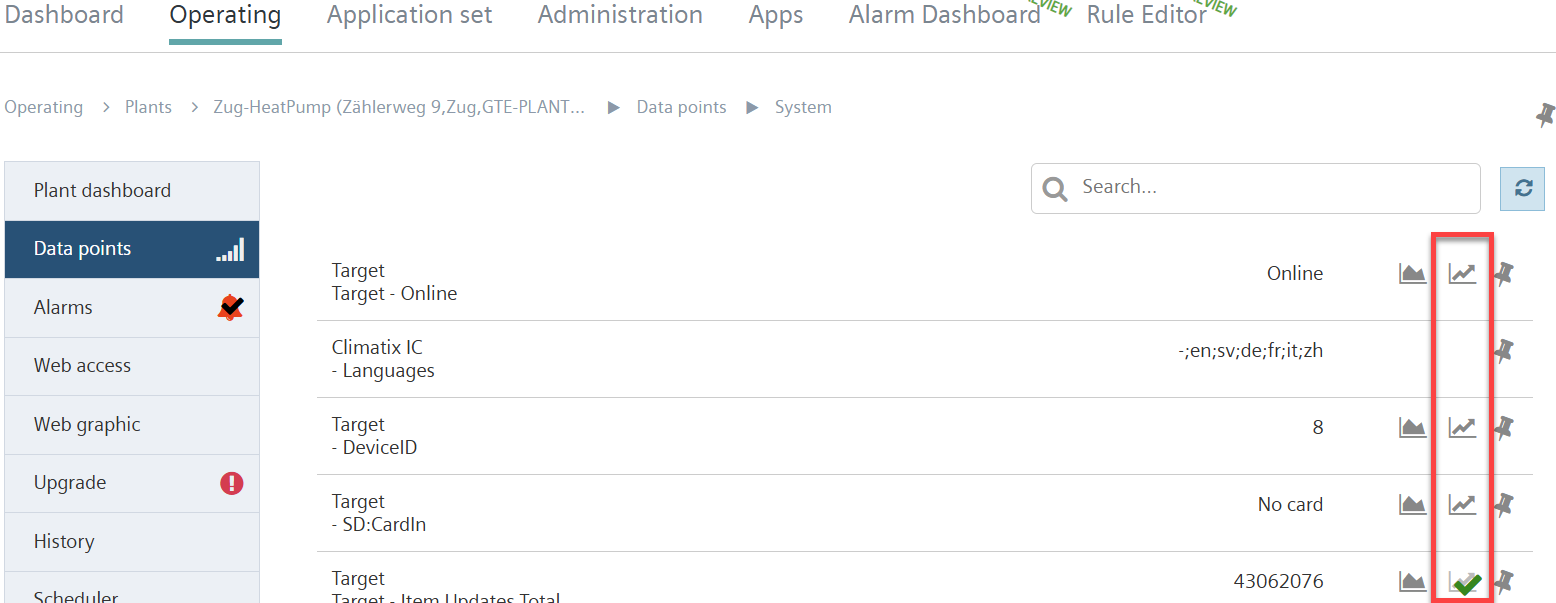
- In the data point entry, click icon 'Add to Trend Viewer'

- The icon switches to
 .
. - The data point is added to the Trend Viewer.
- Go to 'Apps > Trend Viewer'.
- The selected data point displays in Trend Viewer.