CI types and CIU share
The 'CI Types and CIU↑ shares' provides a graphical overview of the types of Cloud items present in a Plant↑, Cloud item↑ and share of Traffic↑, which the various Cloud item types have in the total traffic of the plant.
The overview is divided by plant levels and provides a quick overview of the Cloud item types responsible for the various shares of traffic.
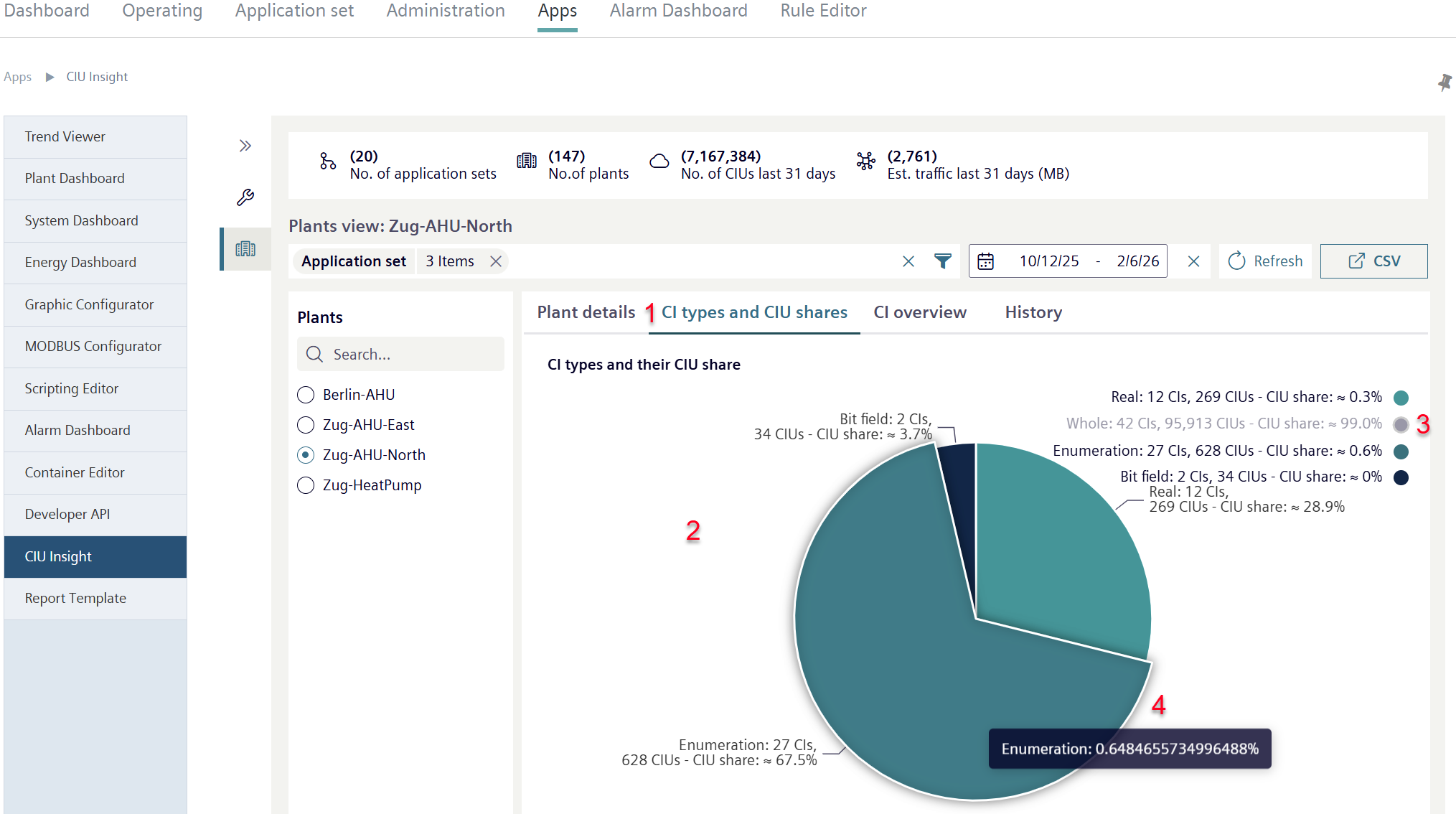
- Click 'CI types and CIU shares' (1).
- A pie chart opens (2).
- The pie chart depicts the various types of Cloud items, each by segment.
- Each segment of a Cloud item type is represented by a variable that corresponds to the its share on total traffic.
- Click on one of the legend entries (3).
- The data record the legend refers to is hidden from the chart.
- Click the legend entry again to display the corresponding data record.
- Move the cursor over a displayed segment or legend entry.
- The segment is highlighted (4).
- The segment data value displays.