Plant hardware and software versions
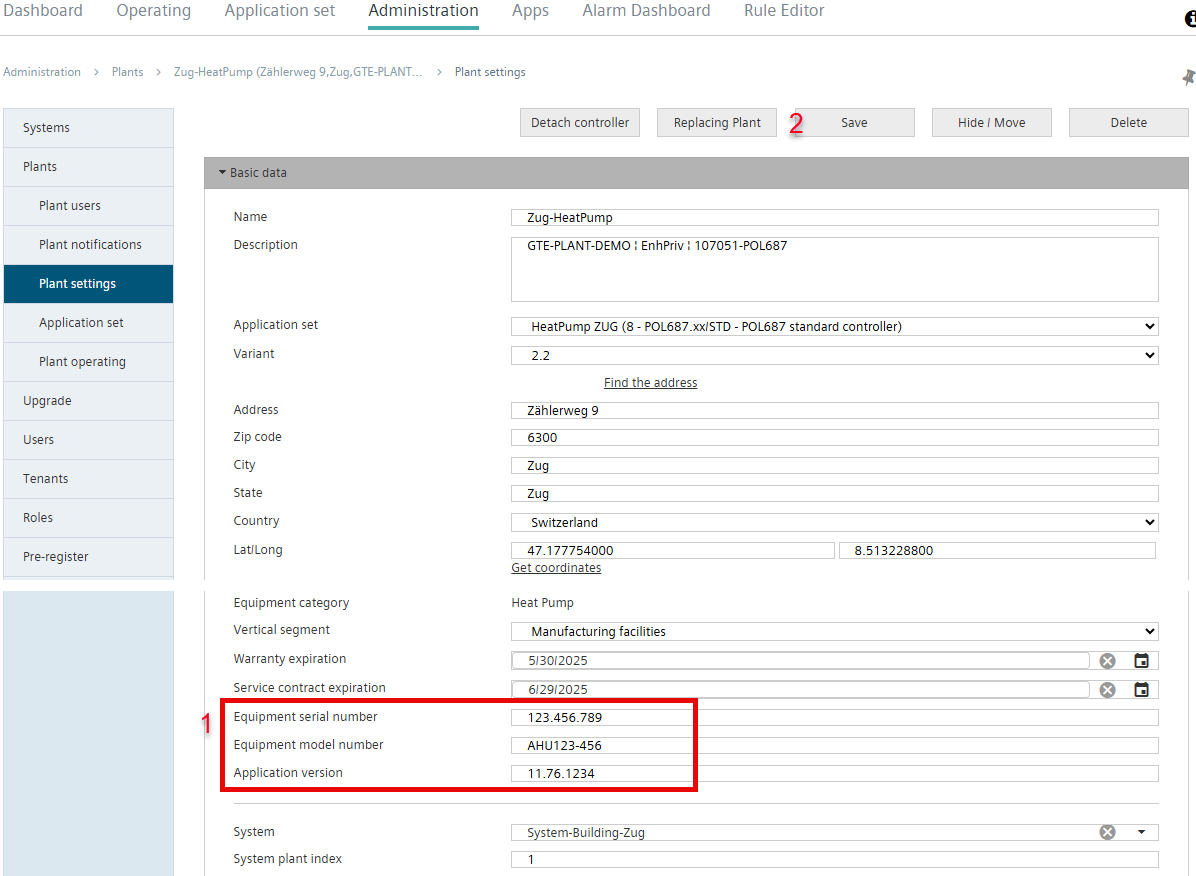
Information used to identify hardware and software can be entered in the system's basic settings:
- The device serial number.
- The model number of the equipment.
- The application's version number.
- The logged-in user has the role 'Plant / User plant ID' (see 'Roles').
- Go to menu 'Administration > [My plant] > Plant settings > Basic data'.
- Enter the requested information in the entry fields (1) and select 'Save' (2).
- The plant contains information on the device serial number, model number and application version number.
- The entered information is displayed in plant overview.
- The information entered is displayed in Plant details on the Alarm Dashboard.
- The information can be used to filter and group assets.
- The information is displayed in plant report exports.