Practical benefits of automatic parameter backup
- The "Automatic parameter backup" is switched on for an application set.
- Backup parameters are set up for a controller with this type of application set.
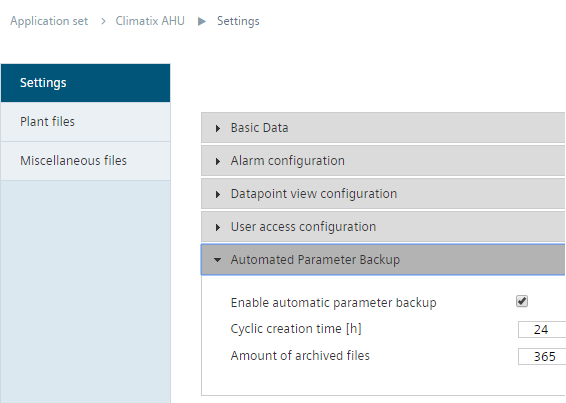
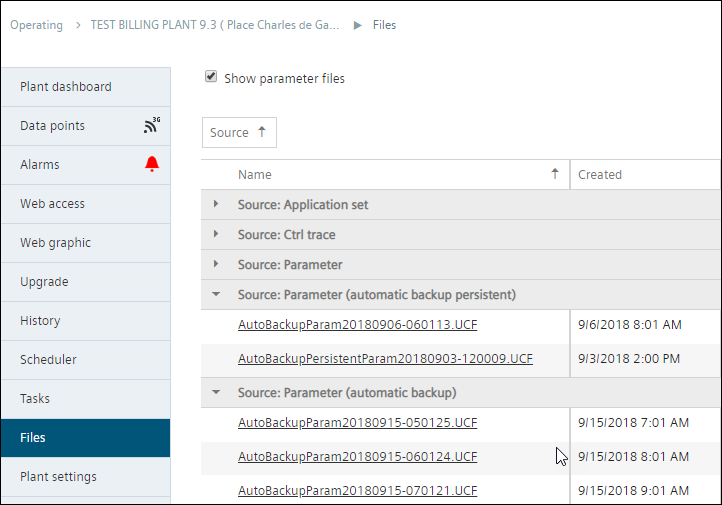
Note the following in the illustrated example:
- Parameter backup was started on 3.9.2018 (3-Sep-2018) between 1 and 2 pm. The first parameter set was saved on the hour at 2 pm. Each saved change is listed for the first time at the start of the next hour.
- An initial parameter set is always persistent (automatic backup persistent).
- In addition, at a later time, the parameter set for 6.9.2018 (6-Sep-2018), 8 am was rendered persistent. You can render a parameter set persistent or not by clicking it in the list and opening "Details".
- At the time the screen shot was done, the backups are visible from 7 to 9 am.
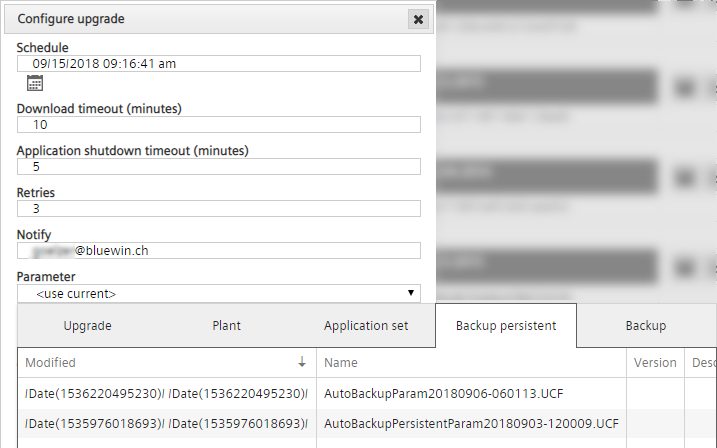
- For example, a persistent as well as a current parameter backup is now available in the upgrade planner.