Import Alarm IDs from Climatix IC-POL controllers
A Tenant-Administrator can import all alarms↑ occurring on a Climatix IC controller to the Alarm Dashboard, where they can be viewed and edited. This is useful if alarms occurred in the controller while not connected to Climatix IC but you want the new alarms to be available in Climatix IC as well.

To import the alarm IDs, we recommend using a controller with all application options activated.
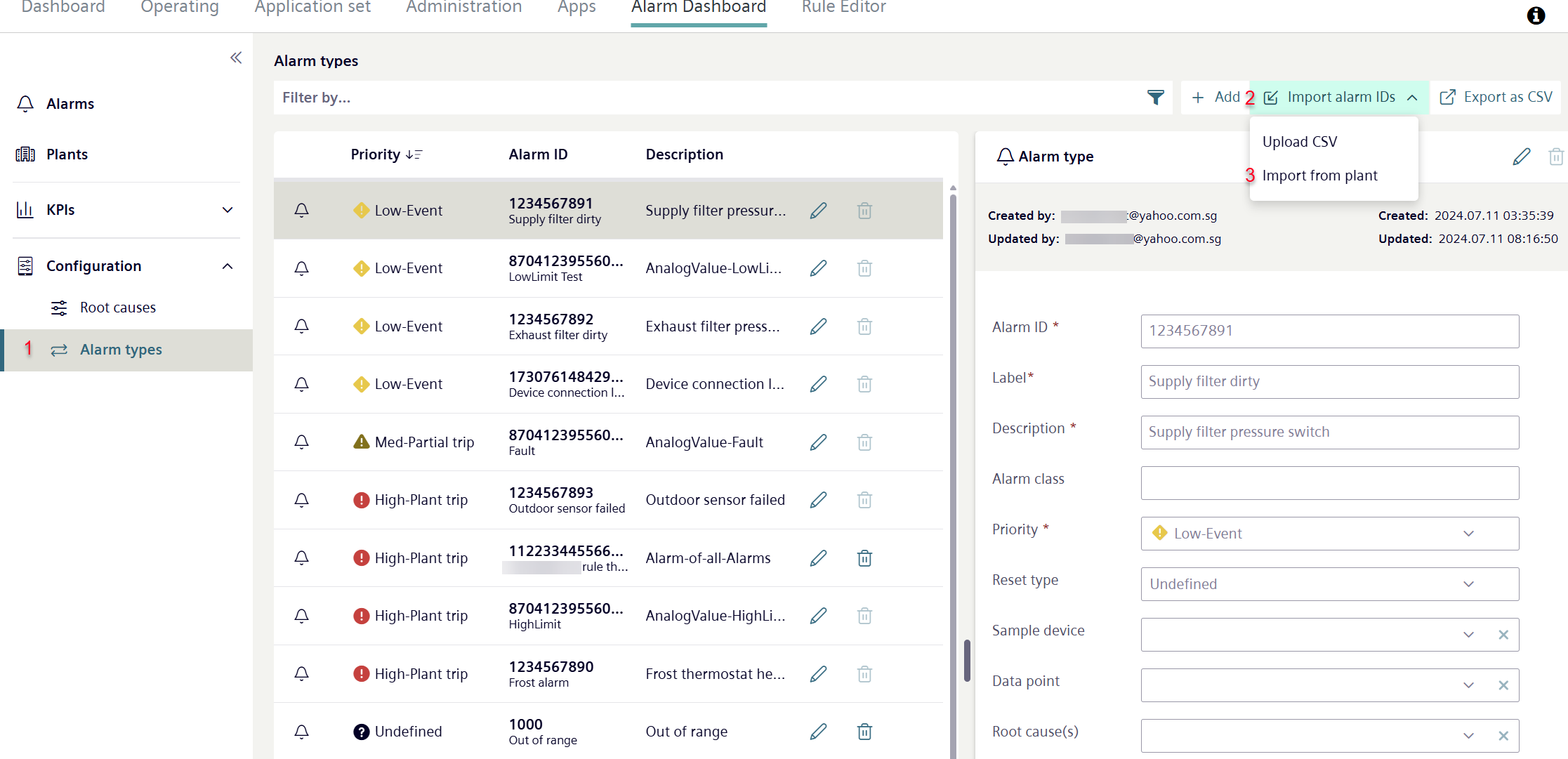
- The own role is 'Tenant-Administrator’.
- Go to 'Alarm Dashboard > Configuration >Alarm Types’ (1).
- Select 'Import Alarm IDs' (2).
- A new drop-down menu opens.
- Click 'Import from plant' (3).
- A new dialog 'Add Alarm IDs' opens.
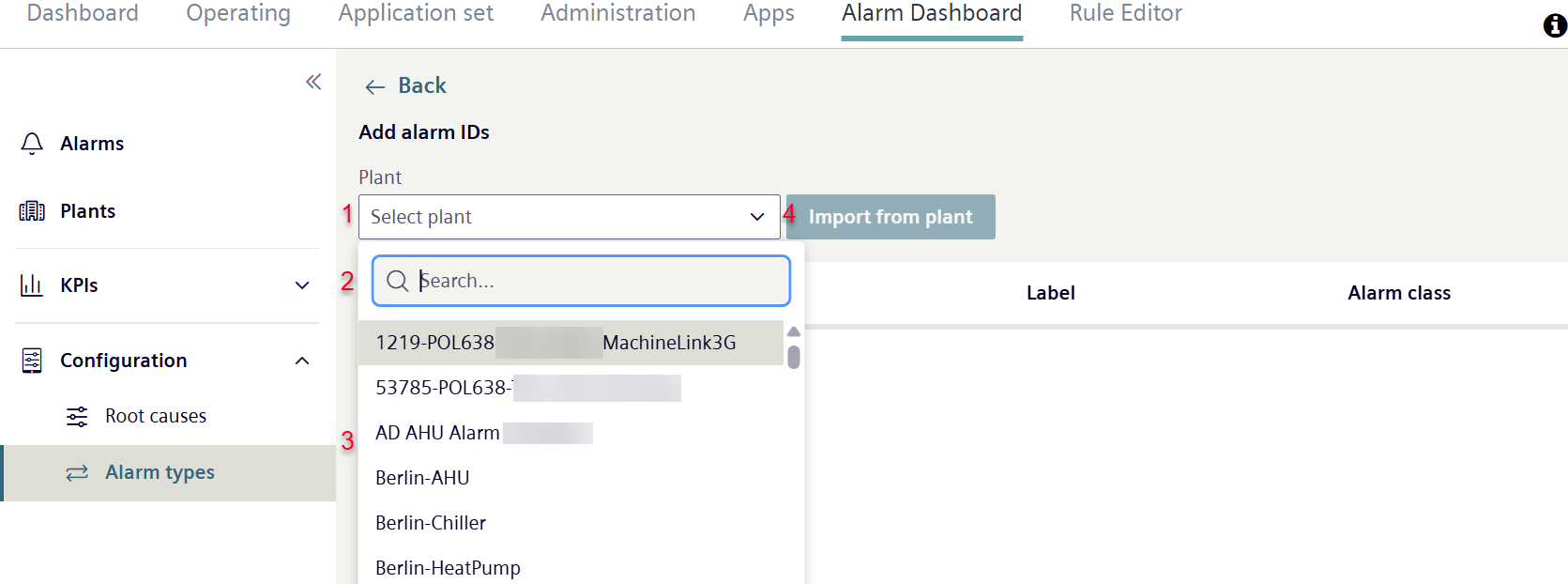
- Click 'Select plant' (1).
- A new drop-down list opens, displaying the list of assets in the tenant and featuring a search field (2).
- Enter the Plant IDs in the search field to search directly for specific assets.
- Or select the desired plant from a list of plants.
- Select the plant with the controller used to import the Alarm IDs (3).
- Click 'Import from plant' (4).
- Alarms from the plant are imported to Climatix IC:
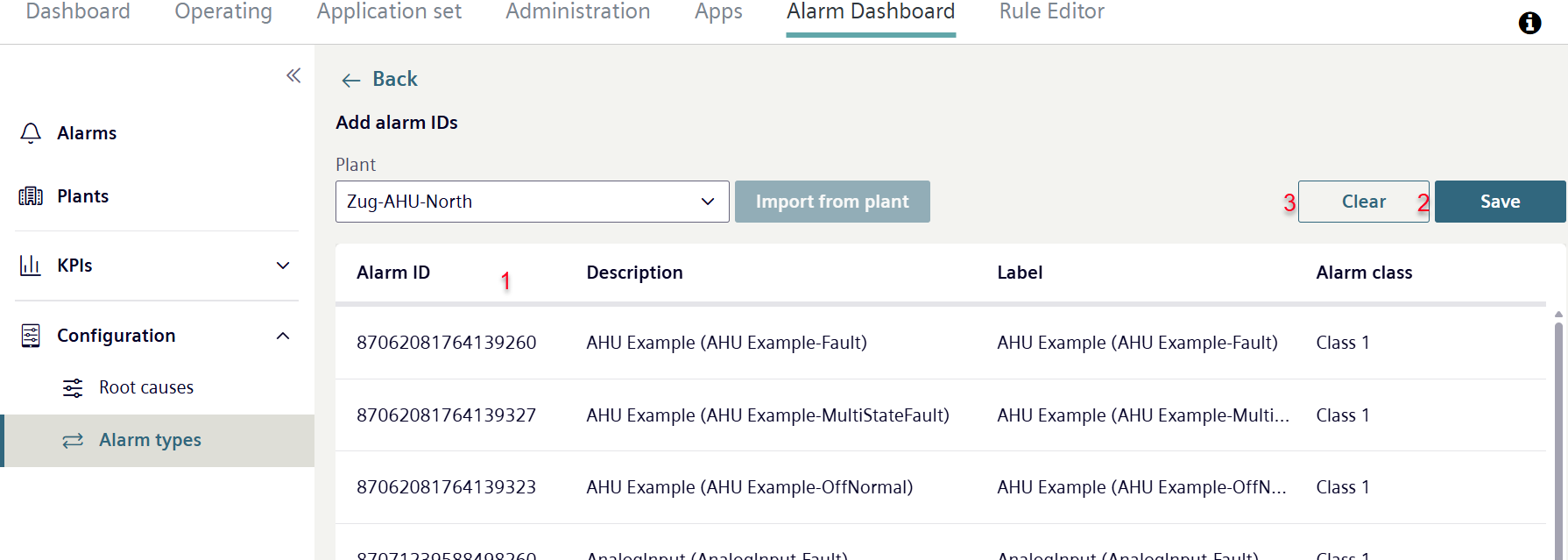
- Alarm IDs present in the plant are listed along with their descriptions. Designation and alarm class are listed (1).
- Click 'Save'(2).
- All Alarm IDs from the plant are saved in Climatix IC.
- The Alarm IDs from the plant can be found and edited in Climatix IC.
- Or select 'Delete' (3).
- All Alarm IDs from the plant are removed from the list.