Set up multi-factor authentication and first-time login

The "Registration" described here applies to first-time login only.
Requirements for login: A user account is setup and an e-mail invitation is sent. Or self-registration using an Activation key or Tenant key was performed (See 'Register'.
The following description of the login procedure includes configuring the external login for future logins (First-time login via a social provider).
Login
- An e-mail with the invitation link was received.
- The registration process was completed (See 'Register').
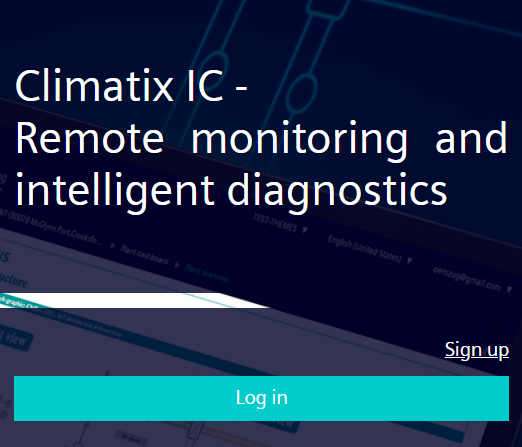
- Go to the Climatix IC landing page: www.climatixic.com.
- Set the cookies (See 'Register via e-mail invitation').
- Click "Login".
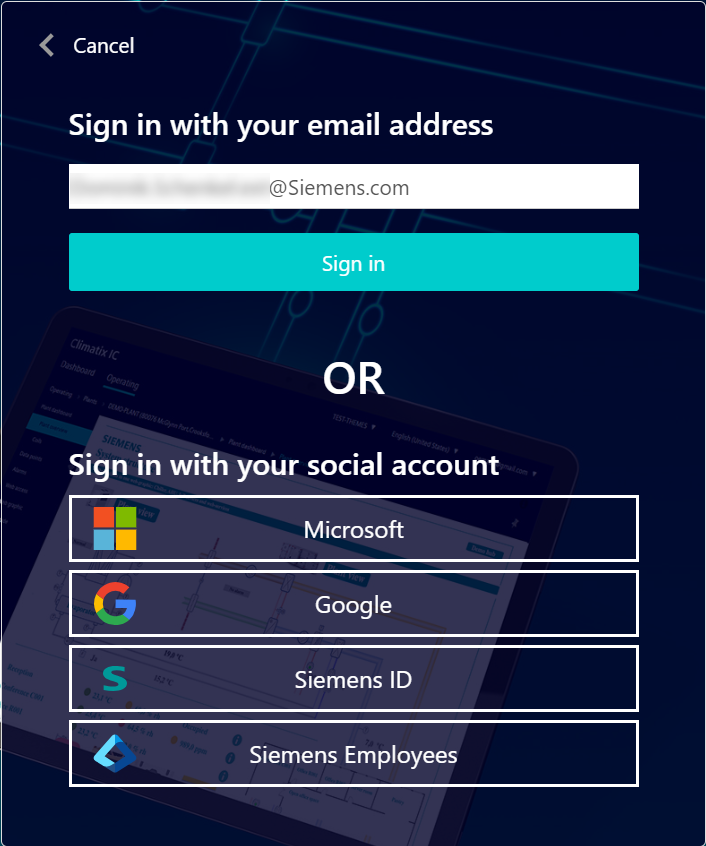
- Enter the e-mail address registered with the Climatix IC account and click "Login".
- A new mask requests you install an authentication service pap on an external device (cell phone or tablet).
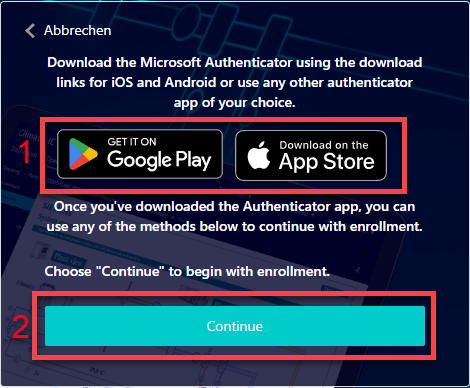
- Install the recommended authentication services (1) or other authentication service (See 'Example for setting up an authentication service').
- Click "Continue" (2).
- A QR code displays.
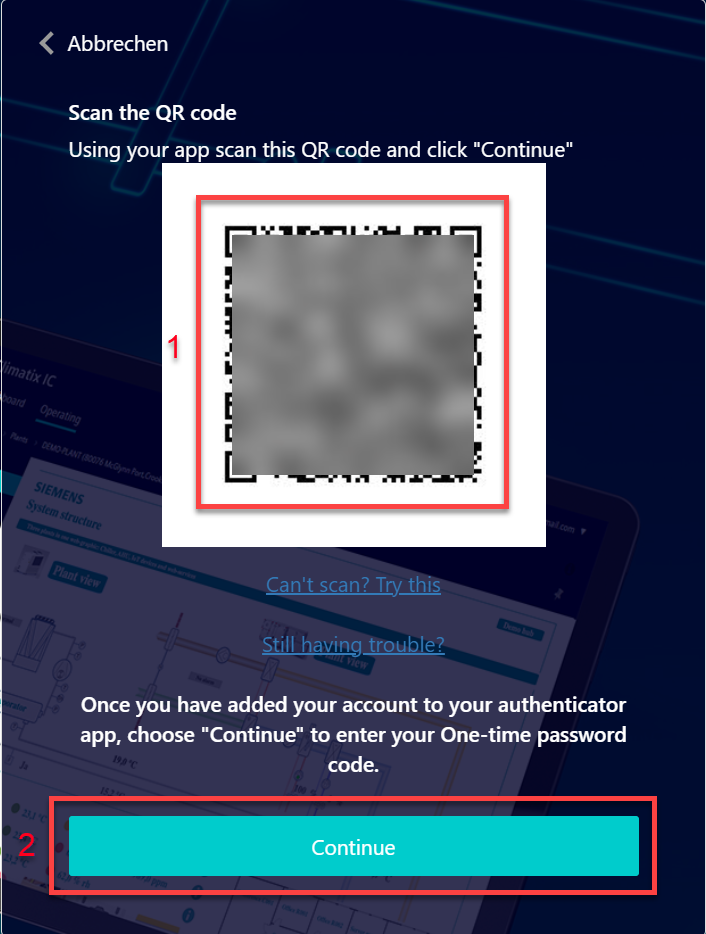
- Scan the QR code (1) with the authentication service and save Climatix IC as a new password generator (See 'Example for setting up an authentication service').
- Click "Continue" (2).
- A new mask requests that you enter the code.
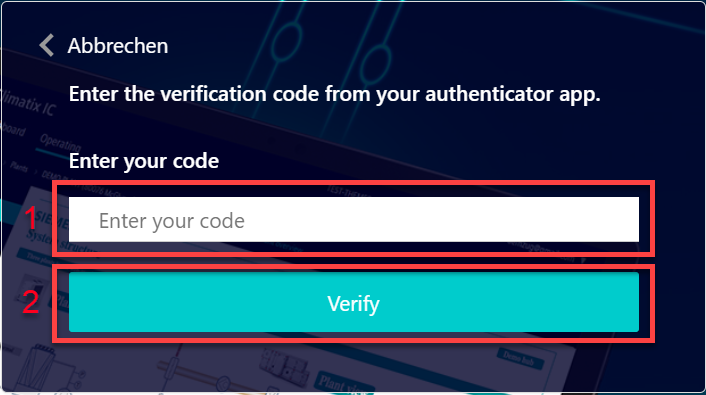
- Enter the one-time password from the Climatix IC password generator (1) and click "Check" (2).
- The login is successful and the Climatix IC landing with dashboard opens.
Secure login and out
Note the following functions for login/out:
- 30 minute session timeout: The connection automatically ends after 30 minutes of inactivity. The web page returns to the Login screen.
- The user account is locked for 60 seconds after 10 attempts with the wrong password.
- Additional attempts only extend the lockout.
- Microsoft 'Smart Lockout' is used here.
- For security reasons, a new login is required after 24 hours of uninterrupted user activity.
NOTICE
Protect passwords
- Never pass on your user name and password for Climatix IC to a third party.
- Encrypt e-mails that include the user name and password.
For log-out, see also "Account details and log out".