Alarm history
Displays the alarm history of a plant.
- Click
 .
.
- A new 'Alarm history' window opens.
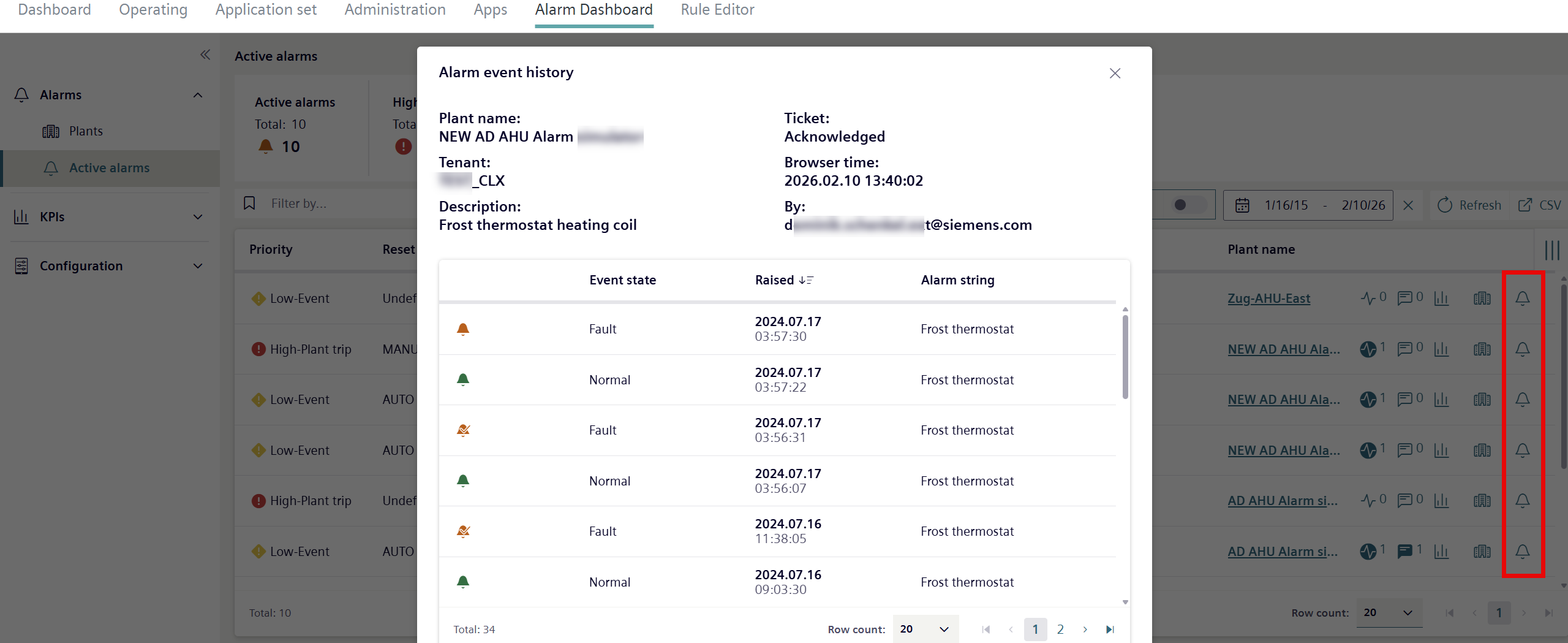
Property | Description |
|---|---|
Plant name | The name of the equipment or plant associated with the plant. |
Tenant name | The tenant assigned to the alarm type. |
Description | Description of alarm type. |
Ticket | Displays the Ticket↑ status (See 'View of plants with an alarm'). |
Browser time | Displays the time of the last change to the ticket status. |
By | Display the user ID of the person who made the last change to the ticket status. |
Event state | The current alarm state: Active, inactive or acknowledged. |
Triggered. | The last alarm update. Indicates year, month, data and time. |
Alarm text | A brief identification of the alarm type. |