Update controller touch panels with APK app files
Touch panel apps running on POL8T5.70 and POL8T2.70 controllers can be updated using 'APK↑' files. These files can be loaded into Climatix IC and made available there:
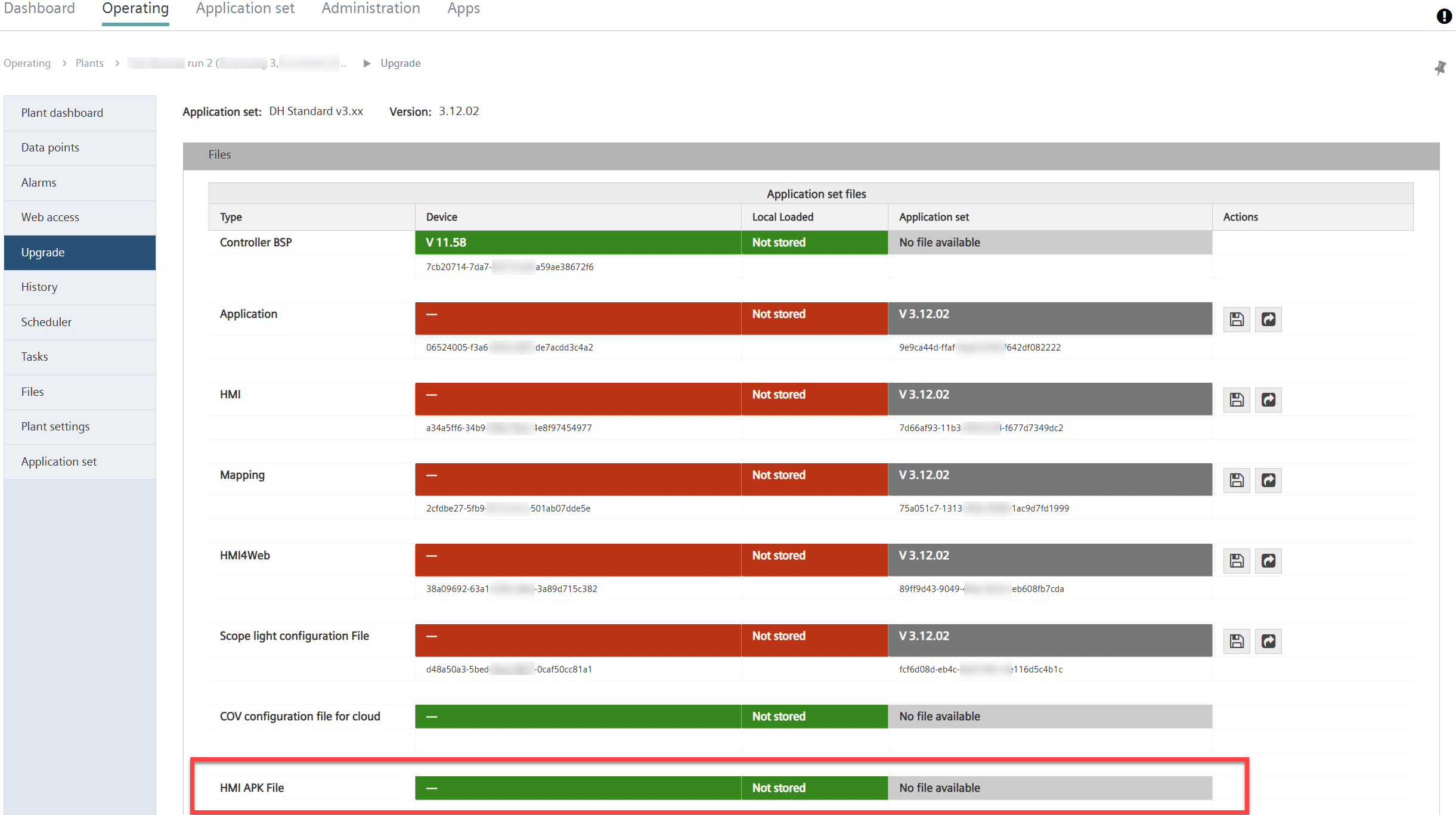

Note: The function is only visible if the plant includes POL8T5.70 or POL8T2.70 controllers with touch panel.
The user starts the touch panel update directly on the controller via the touch panel menu. The controller downloads the APK file from Climatix IC. Remote update from the Cloud is not possible.
Procedure
Create the APK file:
- Create a new UCF file type and place it in front of the binary file:
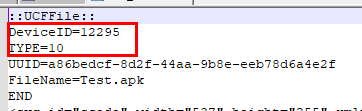
- UCF file type = 10 (BSP file for COM modules)
- UCF device ID (for HMI APK files) = 12295
- The APK programmer adds the UCF header with device ID = 12295:
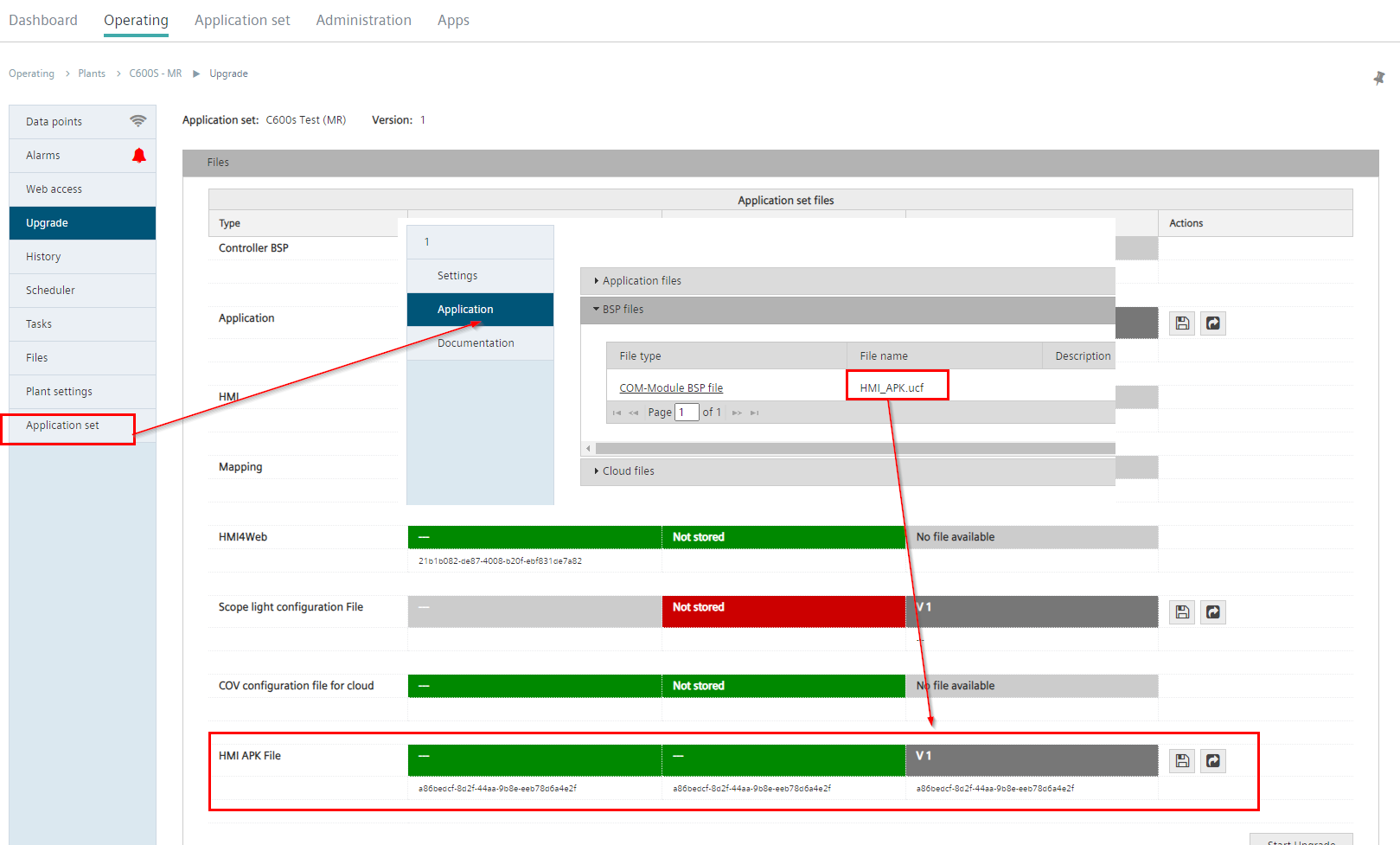
The APK file loaded in Climatix IC:
- An APK file is generated as described above and is available.
- The application administrator loads the APK file to Climatix IC (for the procedure for uploading files to Climatix IC: See section 'Plant files'):
Update the touch panel on the controller:
- An APK file is provided in Climatix IC.
- Download the APK via the touch panel on the controller.
- Start the update on the touch panel:
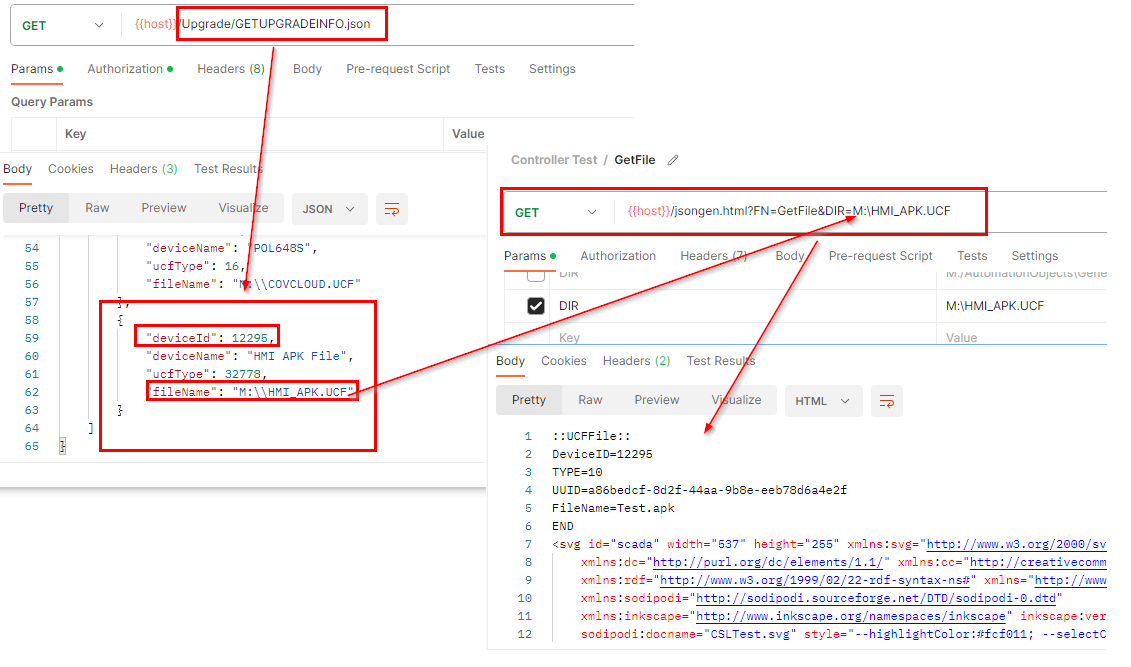
- The touch panel performs the following query using the controller's REST API:
GET Upgrade/GETUPGRADEINFO.json - The response in the touch panel contains the UCF file and the folder for the APK file:
{
    "deviceId": 12295,
    "uuidDevice": "A86BEDCF-8D2F-44AA-9B8E-EEB78D6A4E2F",
    "deviceName": "HMI APK File",
    "uuidFile": "A86BEDCF-8D2F-44AA-9B8E-EEB78D6A4E2F",
    "ucfType": 10,
    "fileName": "M:\\HMI_APK.UCF"
} - Enter the following text to receive the APK file:
GET FN=GetFile&DIR=M:\HMI_APK.UCF - Install the APK file
- The touch panel is updated.