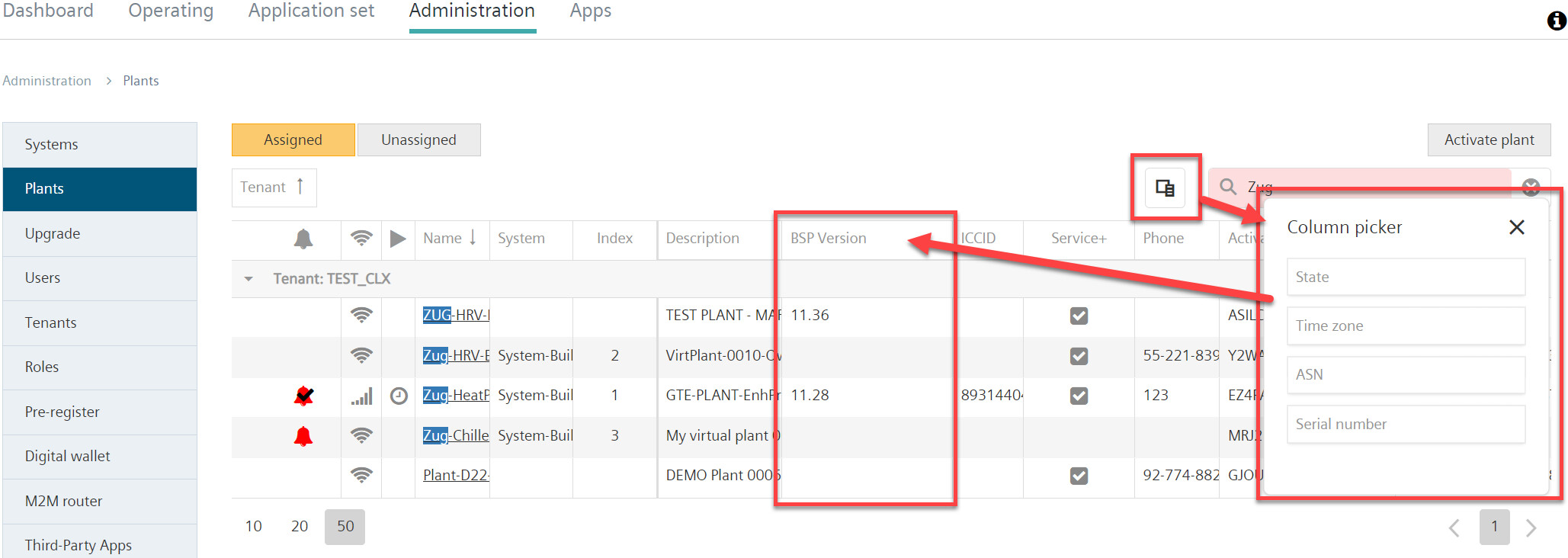
Display plant BSP version
In the list of assigned and non-assigned plants, there is an overview of the BSP↑ version of the respective installations. The respective BSP version is displayed here for new installations. Older, existing plants automatically sent this value during deployment D24. Older plants that were not online during deployment send the value the first time they connect↑ to Climatix IC.
- Go to 'Administration > Plants'.
- Click "Column selection"
 .
. - Drag the "BSP version" entry into the header of the table using drag-and-drop. (See also chapter "Search, sort, group").
- A new column "BSP version" displays with the BSP↑ versions of the plants listed in the table.