Billing - Payment model 'Post-Pay'
For initial information on the payment model 'Post-Pay↑': see 'Select a subscription and use available payment model'.
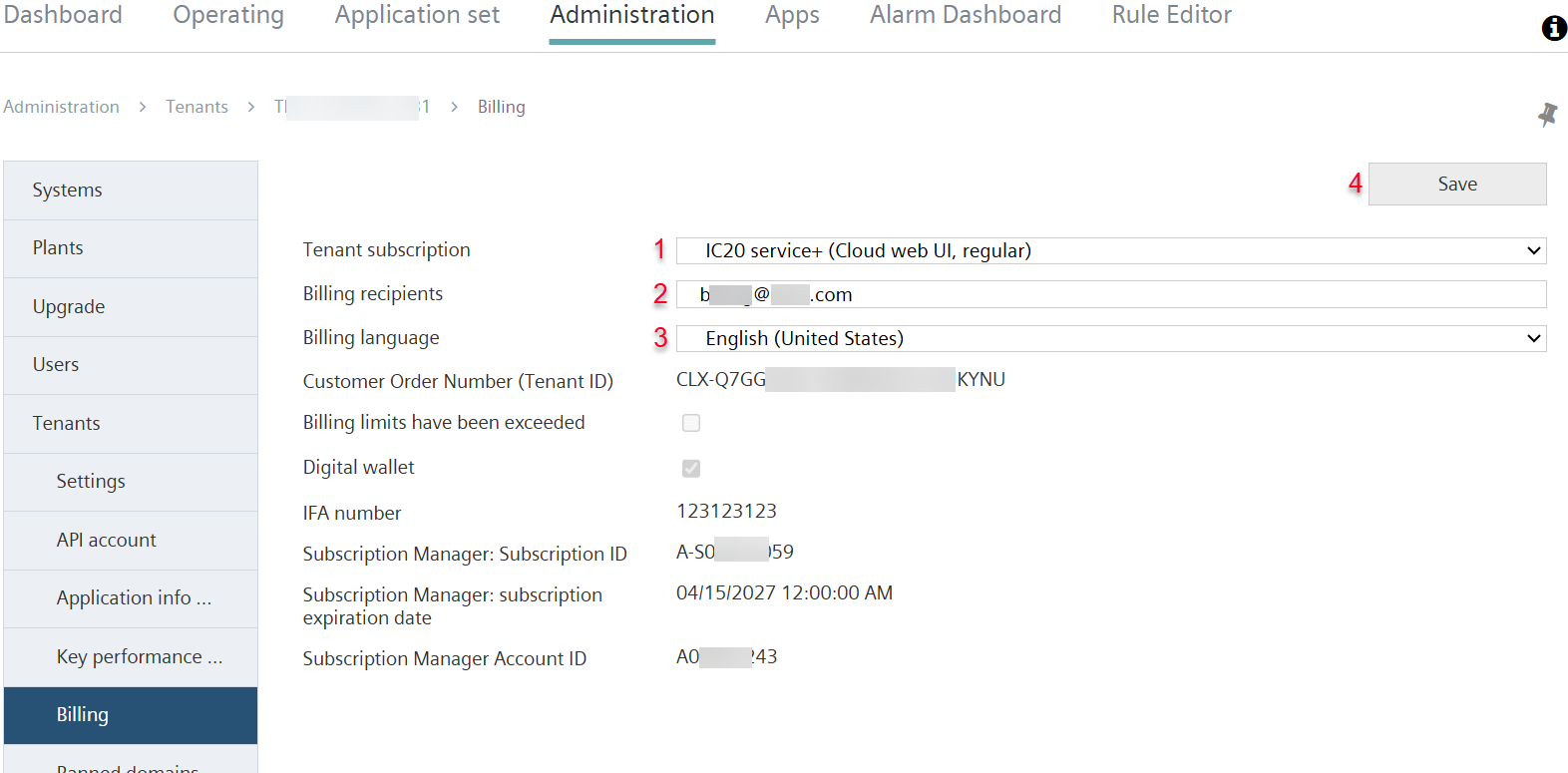
Select subscription
- A tenant is set up in the Subscription Manager↑.
- Go to 'Administration > Tenants > “my Tenant” > Billing'.
- Enter the details on subscription↑ and billing in the tenant (1):
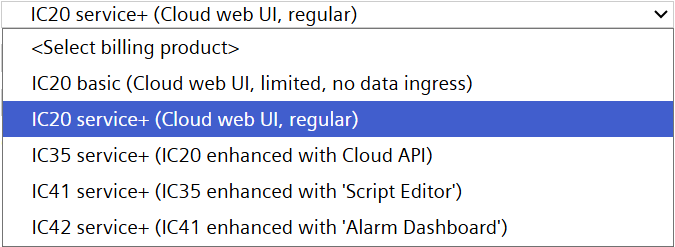
- Select the tenant subscription from the drop-down list (1):
- Enter the Billing recipient.
- Select the Billing language.
- Click 'Save'(4).
- The subscription and name of the invoice recipient are stored in the tenant.
There are five types of subscriptions:
- IC20 Basic
- IC20 Service+
- IC35 Service+
- IC41 Service+
- IC42 Service+
Each of these subscription types includes a specific range of services, with an increasing number of available functions ranging from 'IC20 Basic' to 'IC42 Service+.'

For an overview of the available subscription types, please refer to the PSDS (Product and Service Data Sheet) 'A6V15306964' (https://sid.siemens.com/r/A6V15306964).
See 'Additional information'.
Billing method
- Billing per controller based on service used.
- Billing at the end of each month.
- The invoice is sent to the entered address.
- A invoice of the costs is sent at the end of the month to the tenant billing administrator.
- Minimum contract period is one year.
- Thereafter, the termination period is one month.
Requirements
- Access to the Subscription Manager↑.
- Requires a Siemens ID to login.
- The Subscription Manager is available in the following countries: AT, CH, CZ, DE, DK, EE, ES, FI, FR, GB, GR, HR, HU, IT, LT, LV, NL, NO, PL, RS, SE, SI, SK, TR, UA, US, ZA.
- At least one tenant is set up in the Subscription Manager.
- Accept the general Terms and Conditions in the Subscription Manager.
- Opening of a tenant in the Subscription Manager is tantamount to the entering into an agreement between the customer and Siemens.
Additional information
- For additional information on available subscriptions↑: See 'Select a subscription and use available payment model'.
- For additional information on the Subscription Manager: please: See 'Subscription Manager - Post-Pay'.