Select and filter application sets
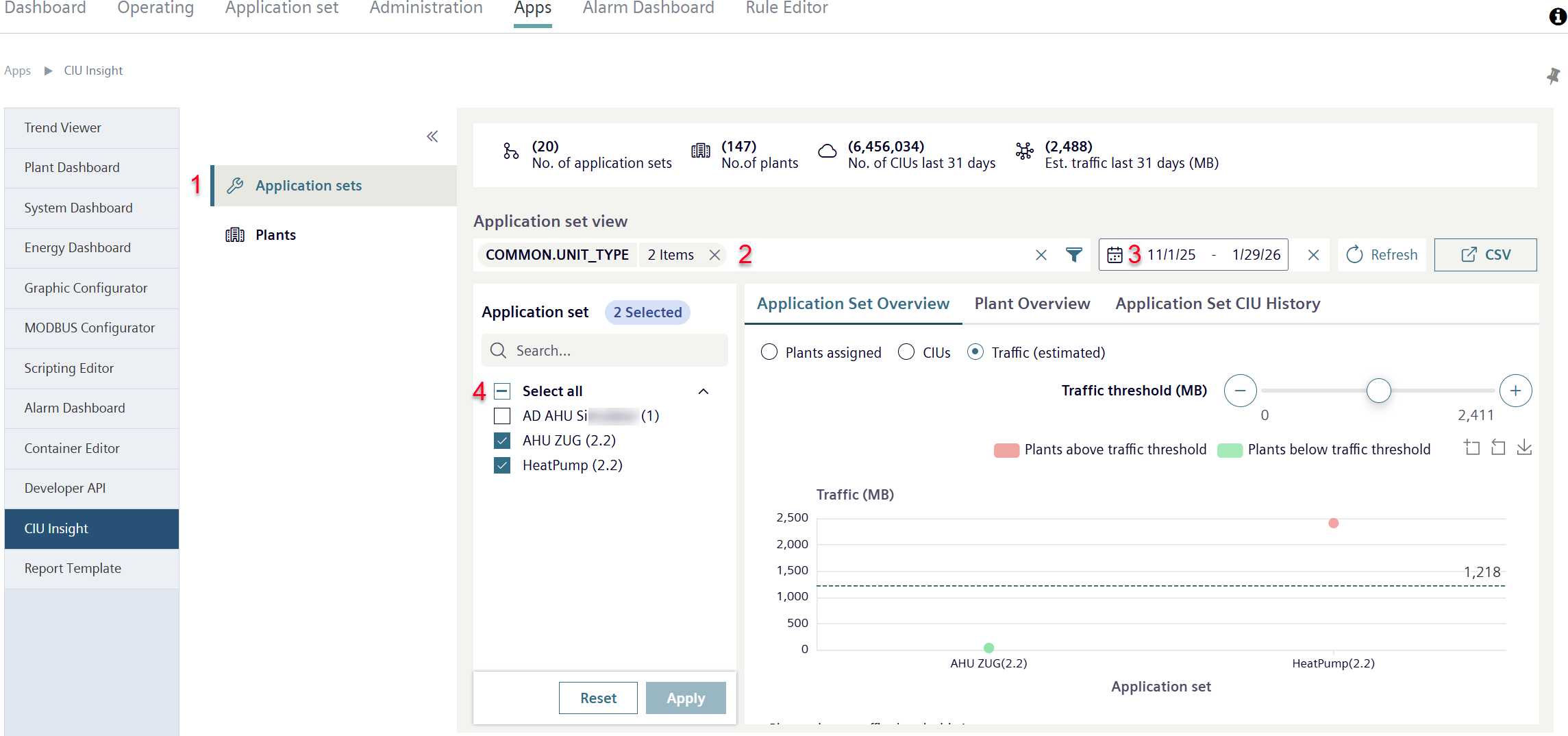
- The Tenant has application sets.
- Go to "Apps > CIU Insight > Application set" (1).
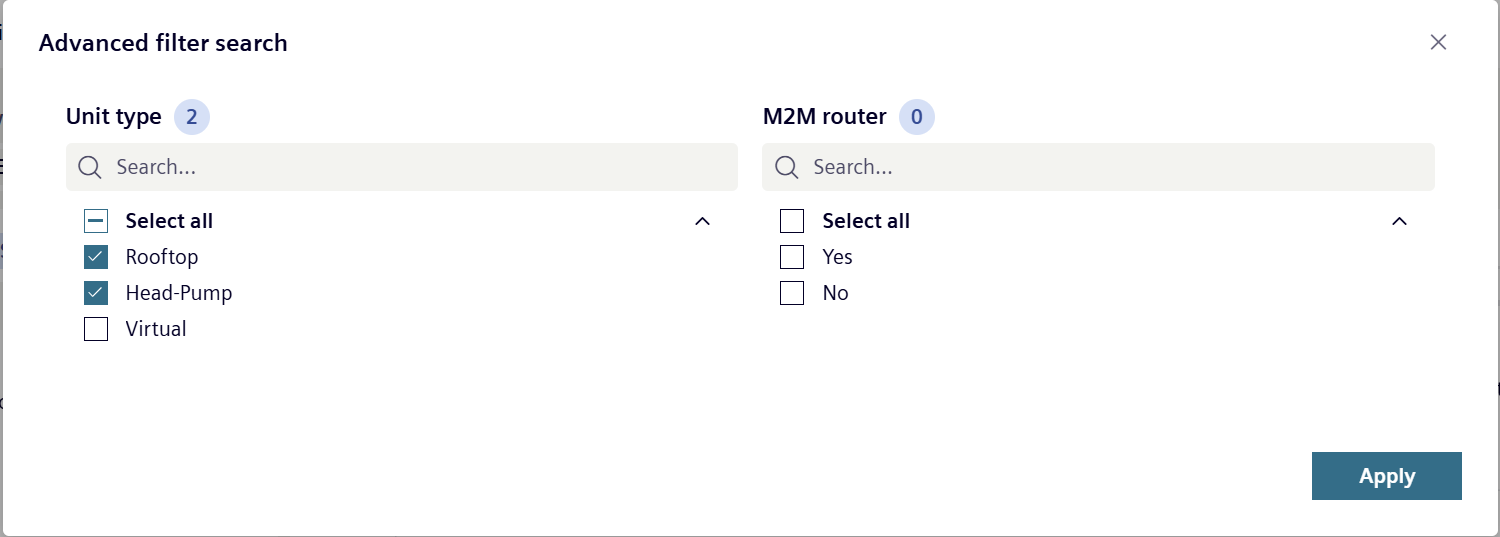
- Applications sets filter by 'Device type' (see 'Type') or 'M2M↑ router' (2).
- Click 'Filter by ...
 :
: - A new window with filter options opens.
- Select time period to evaluate the Traffic↑ generated by the application sets (3).
- Select the application sets in the list to be tracked for data use (4).
- The overview displays the initial data on the selected sets.