CI overview
The 'CI overview' provides detailed information on the individual Cloud items↑ integrated in the selected plant↑.
This allows the data consumption of Cloud Items to be checked down to the lowest detail level.
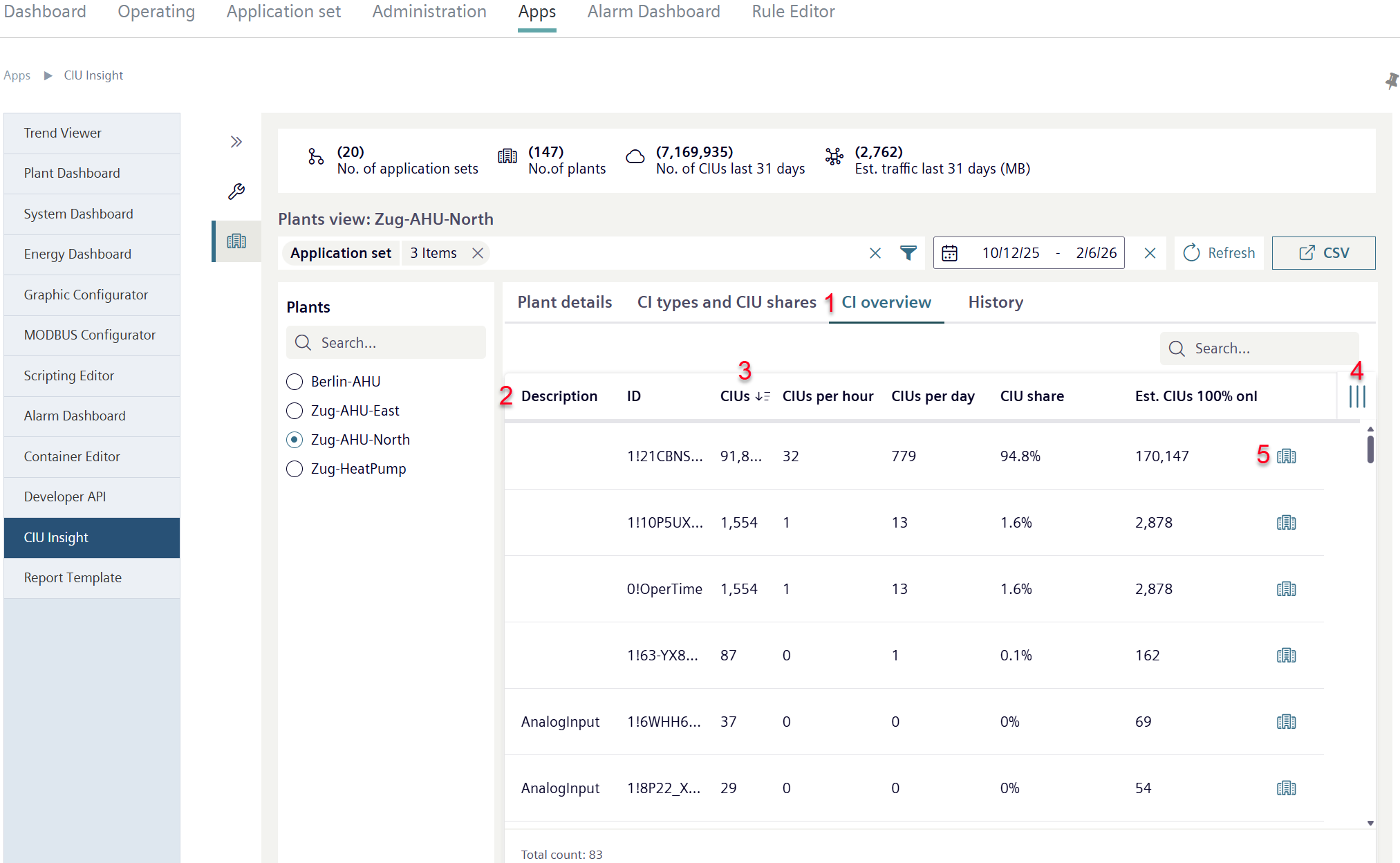
- Click 'CI overview' (1).
- A table overview opens on Cloud items↑ in the selected plants↑ (2).
- The overview displays detail information on Cloud items and their data consumption.
- Click on one of the table headings (3).
- The table is sorted in ascending or descending order according to the clicked attribute.
- Click "III" (4).
- Additional table columns with extra features can be shown or hidden (for operation, see 'Active alarms view').
- Click symbol '
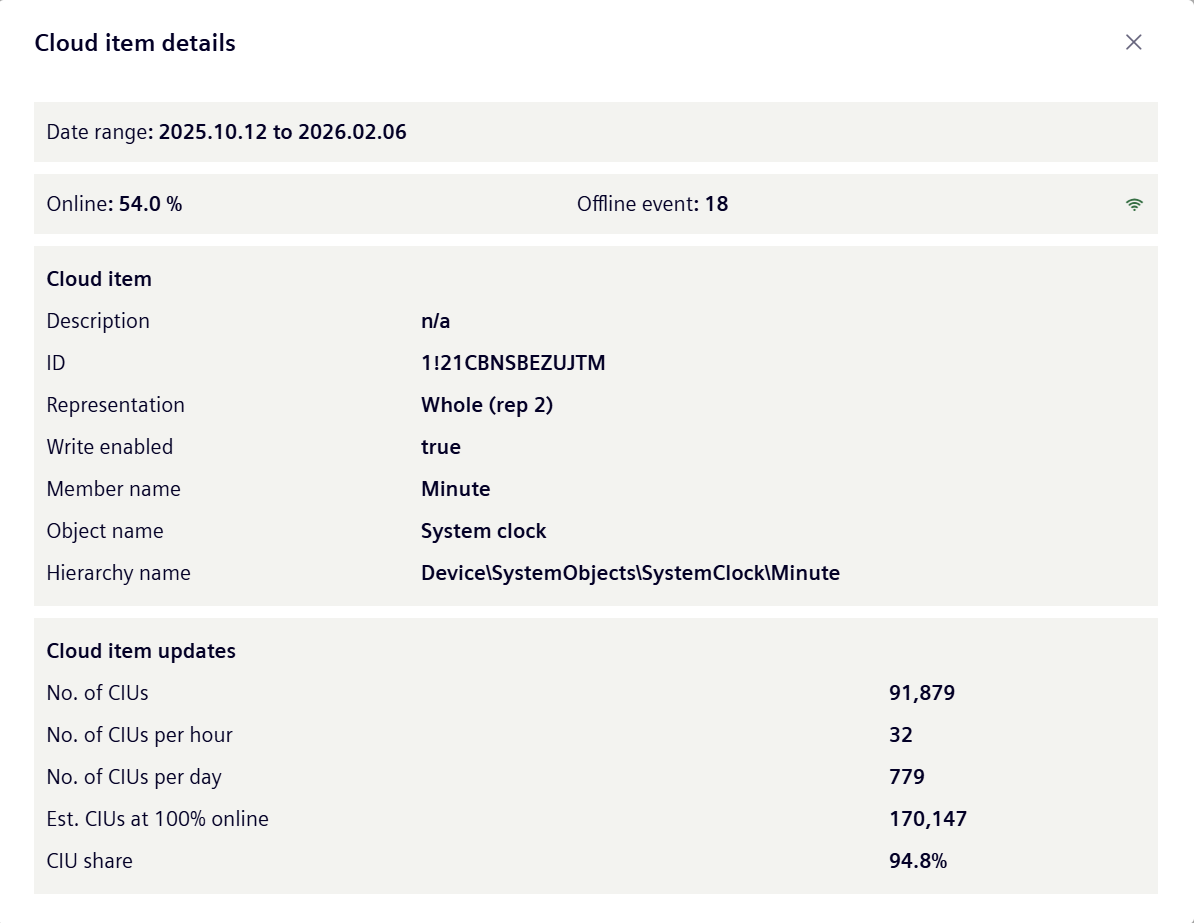
 Cloud element details' (5).
 - A new window opens with details on a cloud element and its consumption data: