'Suppression settings' window
In 'Suppression settings', select alarms from plants to suppress. Proceed as follows:
Adapt suppression
- Select either 'Suppress all incoming alarms' (1).
- All alarms of a plant are selected.
- The 'Suppress alarm types' checkbox is cleared (2).
- 'Start date' and 'End date' are enabled (3).
- Or select 'Only selected alarm types' (1).
- 'Suppress alarm types' is enabled (2).
- Select plants using the search function and selection list.
- 'Start date' and 'End date' are enabled (3).
- Set either 'Start date' and 'End date' for Alarm suppression (3).
- The selected alarms are suppressed for the desired period.
- Or delete 'End date' (3).
- The selected alarms remain suppressed until the user manually cancels suppression.
- Optional: Indicate a reason for suppressing the alarm (4).
- Click 'Save'(5).
- The selected alarms are suppressed for the user and for the specified period.
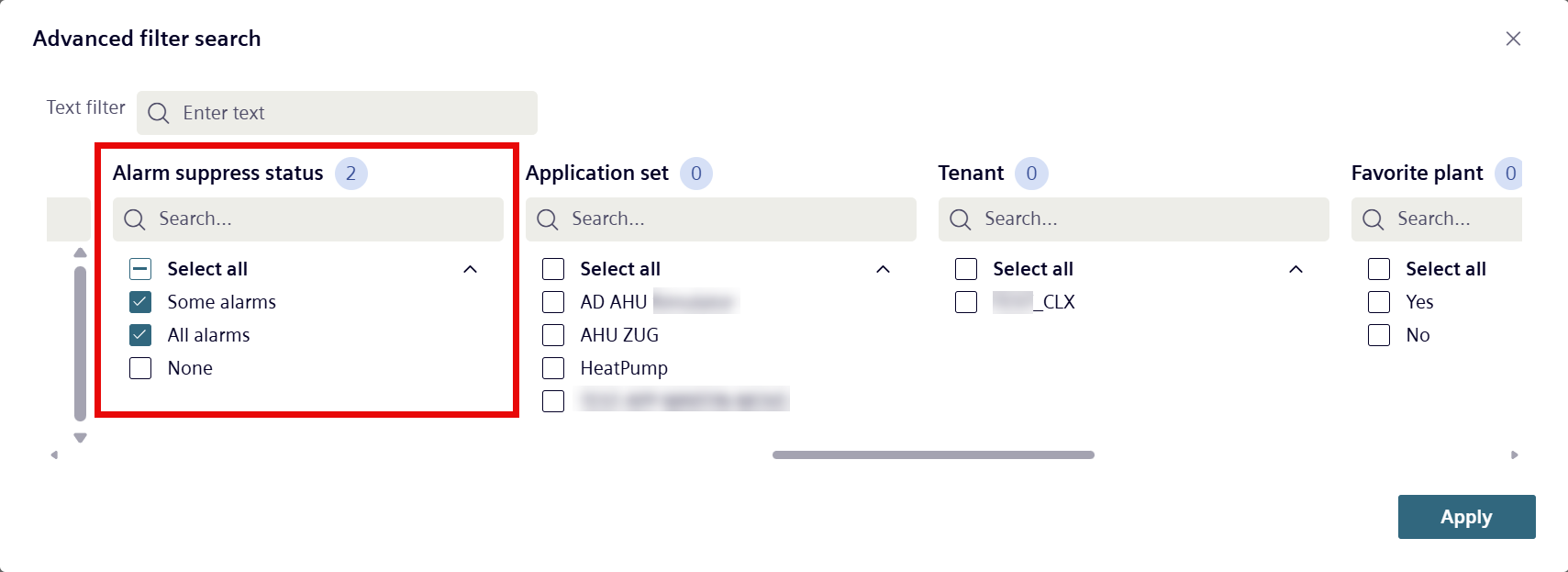
- The plant with suppressed alarms can be filtered and therefore quickly retrieved:
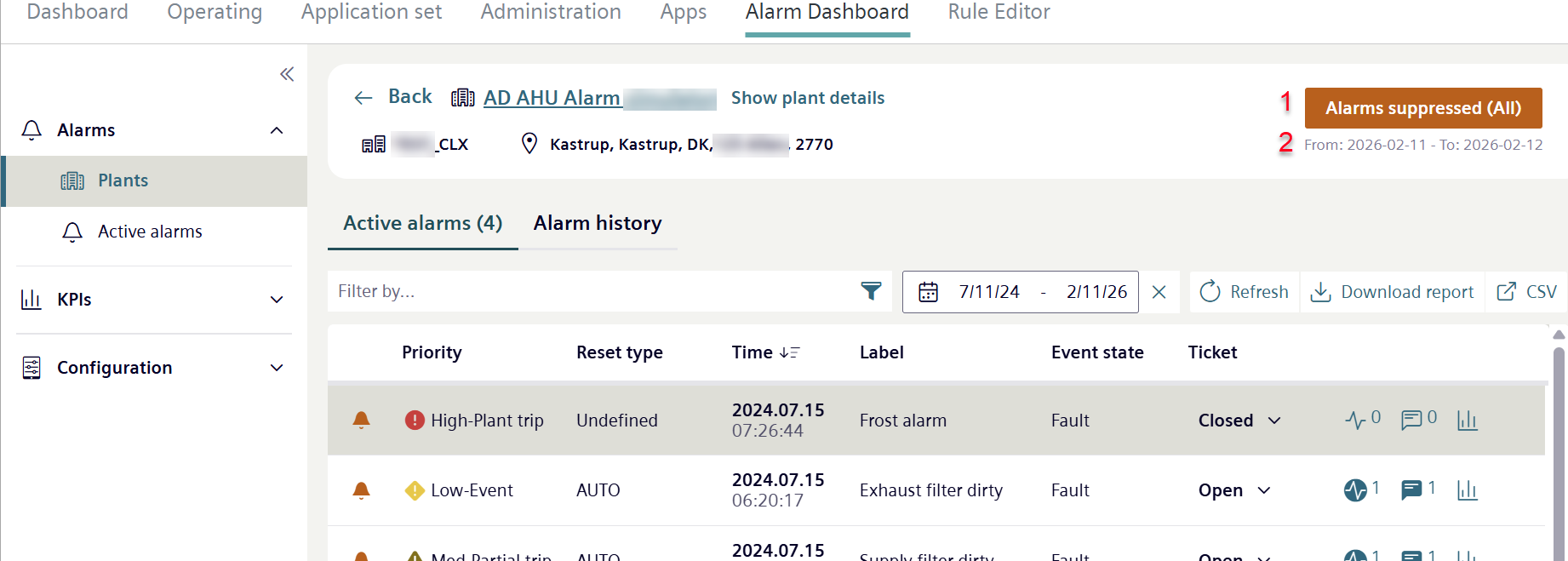
- The 'Suppress Alarms' button changes to 'Alarms Suppressed (Some)' when certain alarms in the plant are selected, or to 'Alarms Suppressed (All)' when all alarms in the plant are selected (1).
- Below the 'Suppress Alarms' button, the period during which the alarms are suppressed is indicated (2).
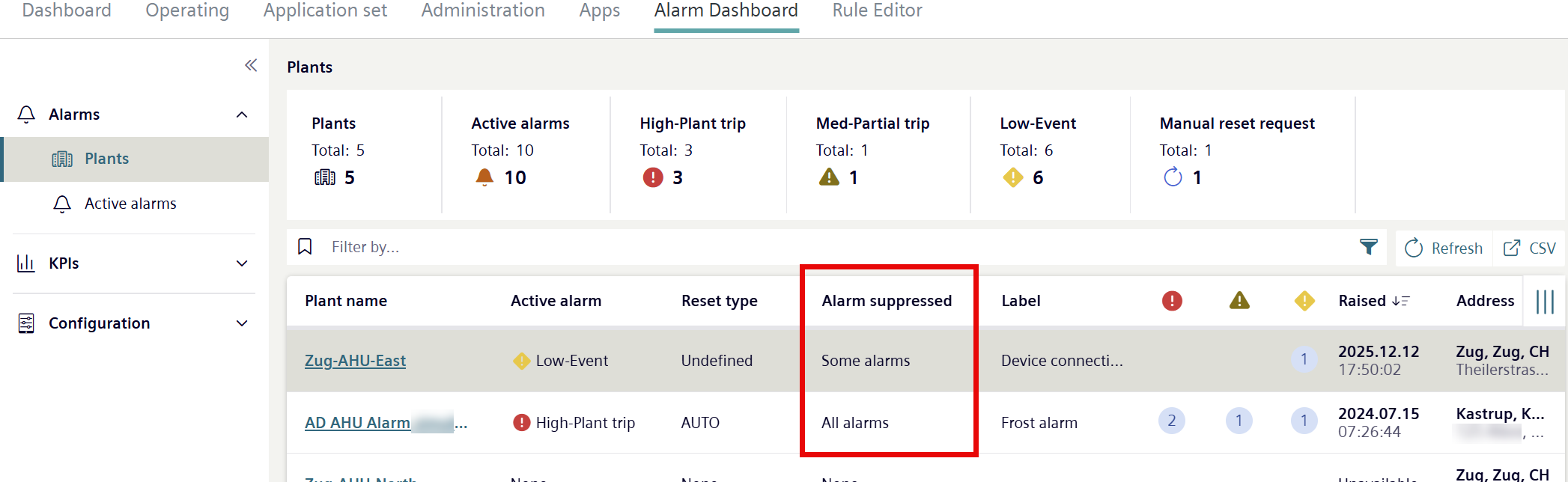
- The status in 'View of plants with an alarm' changes in the 'Suppressed alarm’ column:
Change or cancel alarm suppression
- There are plants with suppressed alarms.
- Click 'Suppressed alarms (some)' or 'Suppressed alarms (all)'.
- The 'Suppress alarms’ window opens.
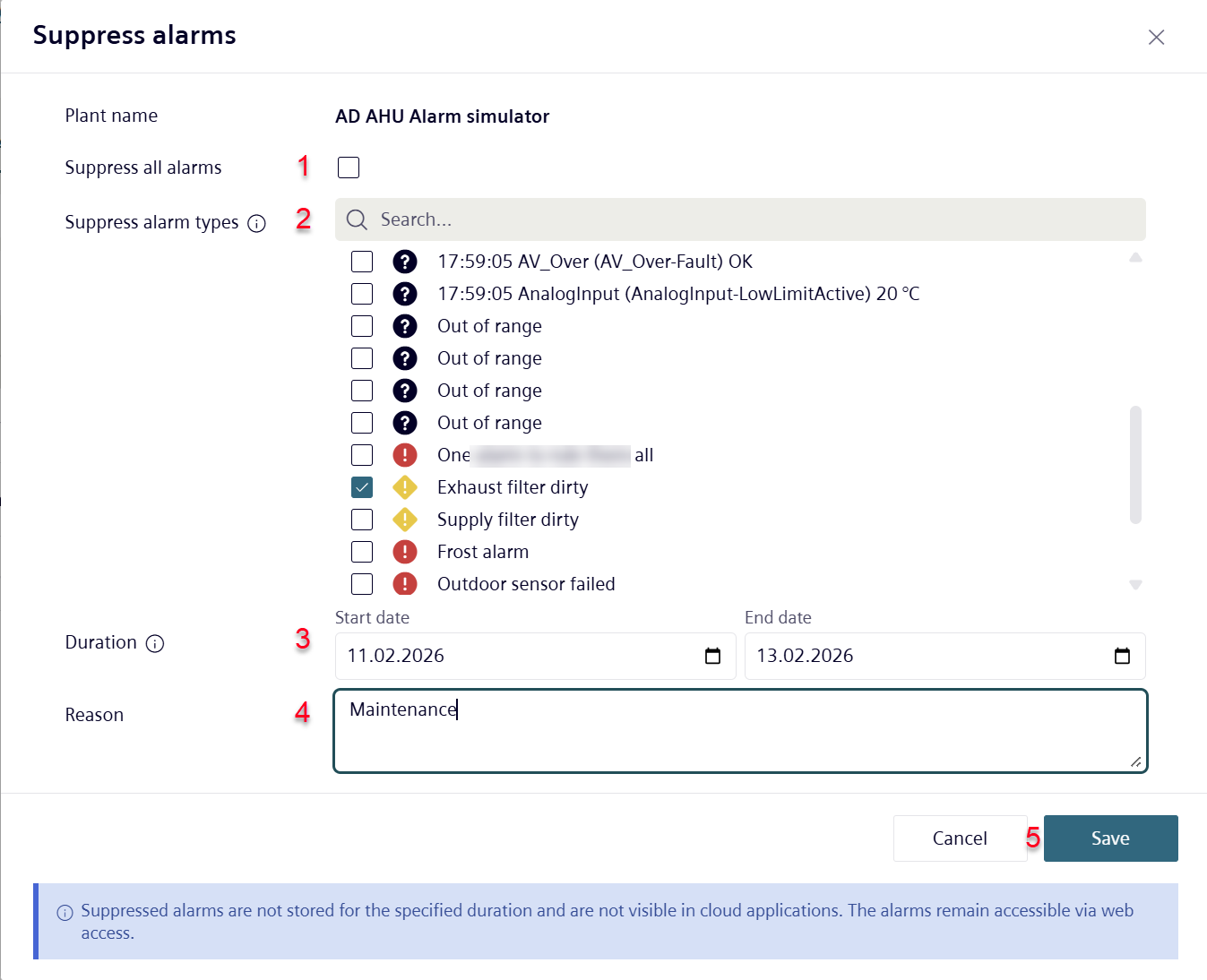
- Select or clear alarms (1), (2).
- The suppressed alarms change.
- Change the duration of alarm suppression (3).
- The period of the alarm suppression changes.
- Or click 'Exit suppression' (10).
- A new confirm window opens:
- Confirm command.
- Alarm suppression is disable for all plants.
- Click 'Save'.
- The changes are updated in the alarm suppression.
Status overview of suppressed alarms
The progress display (6) for suppressed alarms in a plant provides a quick overview:
- How many alarms are suppressed in the plant.
- The time period the alarms are suppressed.
- Who triggered the alarm suppression.
- A search function for filtering long lists of suppressed alarms (7).
- A list of suppressed alarms (8).