Assigning and activating unassigned plants
Unassigned plants
The button "Unassigned"↑" displays new plants, yet to be assigned, as well as hidden plants↑ (see "Delete, hide, and replace plants").
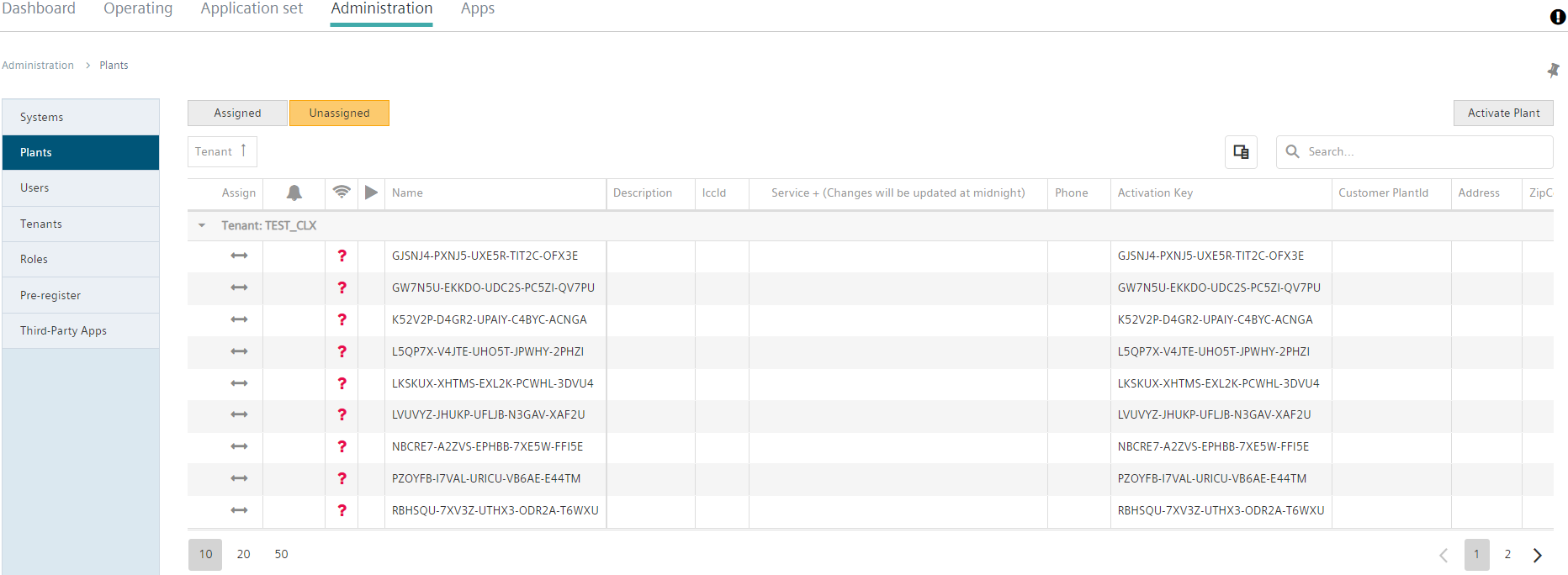
Assign plants
- To activate an unassigned plant, click (
 ).
).
- The plant settings open (see "Plant settings").
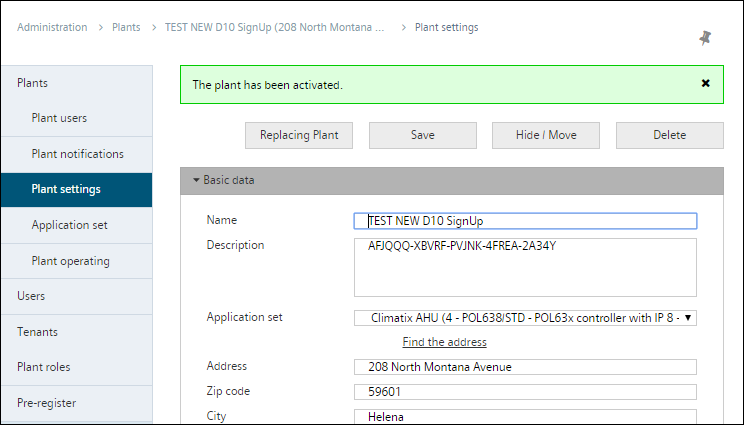
"Find the address" and "Get coordinates" are available in the Google service to locate the plant on the map.

When Sub-Tenants↑ exist below the Main-Tenants↑, the system asks for the Tenant↑ where the plant is activated prior to displaying the plant settings.
Activate plant
In addition, the "Activate plant↑" button is also available. The function displays a form that queries the activation key in addition to the plant settings. A plant activated in this manner is entered directly in "Assigned↑".